
UMA-ASE
UMA-ASE
UMA-ASE (Universal Model for Atoms + Atomistic Simulation Environment) calculations are uploaded as a single .zip bundle file containing the CML output and the coordinate file produced by the ASE calculator.
General Info
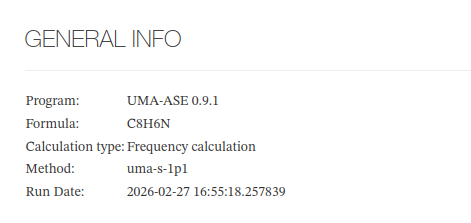
UMA-ASE - General Info - Main fields
| Field | Description | Example |
|---|---|---|
| Title | Calculation title, assigned during publication | Sample UMA calculation |
| Browse Item | Link to the published item in the Browse repository | https://iochem-bd.iciq.es/browse/handle/100/5672 |
| Program | Program and version used for the calculation | UMA 1.0 |
| Author | Full name of the user who submitted the calculation | Doe, John |
| Formula | Molecular formula in Hill notation | C2H6O |
| Calculation type | Custom logic [^1] | Geometry optimization |
| Method | UMA model variant used | uma-s-1p1 |
| Run Date | Date and time the calculation was executed | 2026-04-17T10:00:00 |
UMA-ASE - General Info - HTML example/s
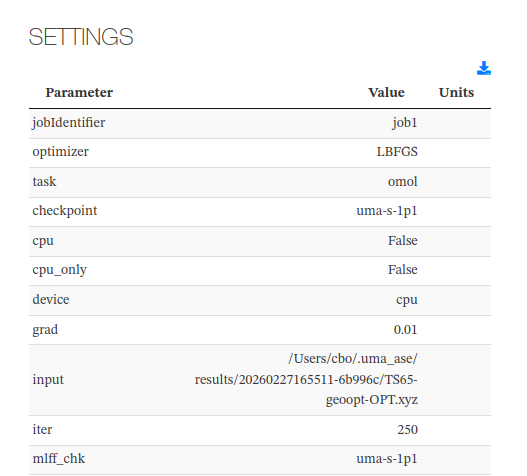
Settings
This section lists the initialization parameters used for the calculation. User-defined parameters appear below the standard parameters. Temperature and pressure are shown as the last rows when present.
Settings - HTML example/s
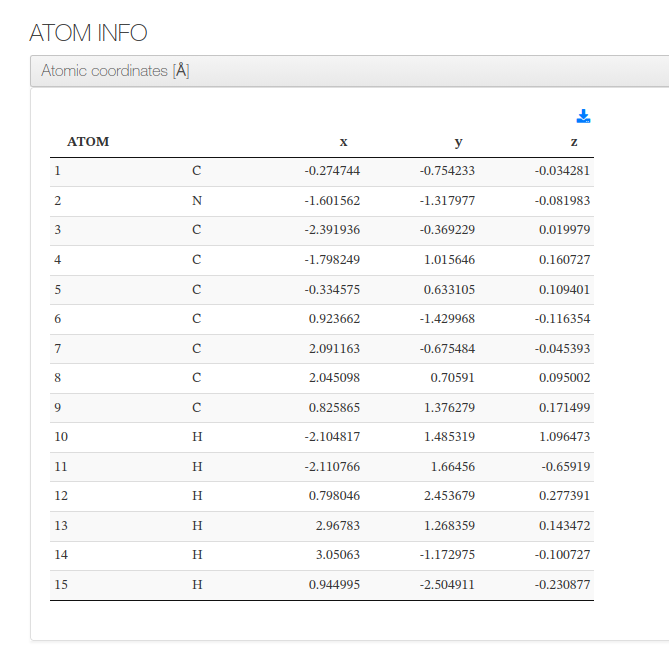
Atom Info
Displays a table of atomic coordinates in ångströms (Å). The final geometry is shown when available; otherwise the initial structure is displayed.
Columns: atom index, element symbol, x, y, z (Å).
UMA-ASE - Atom Info - HTML example/s
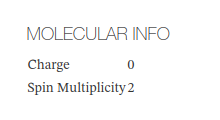
Molecular Info
Shows molecular-level properties of the system.
Molecular Info - Main fields
| Field | Description |
|---|---|
| Charge | Total net electrical charge of the system |
| Spin Multiplicity | Spin multiplicity of the system |
Molecular Info - HTML example/s
Modules
When a calculation contains multiple jobs, each is shown as a collapsible section with the subsections below (when applicable).
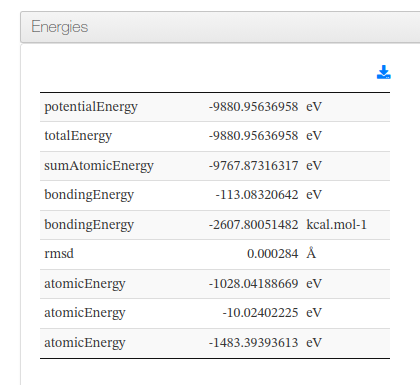
Energies
Displays the energy values computed for the calculation.
Energies - Main fields
| Field | Description |
|---|---|
| totalEnergy | Total energy of the system (eV) |
| potentialEnergy | Potential energy of the system (eV) |
| bondingEnergy | Bonding contribution to the energy (eV) |
Energies - HTML example/s
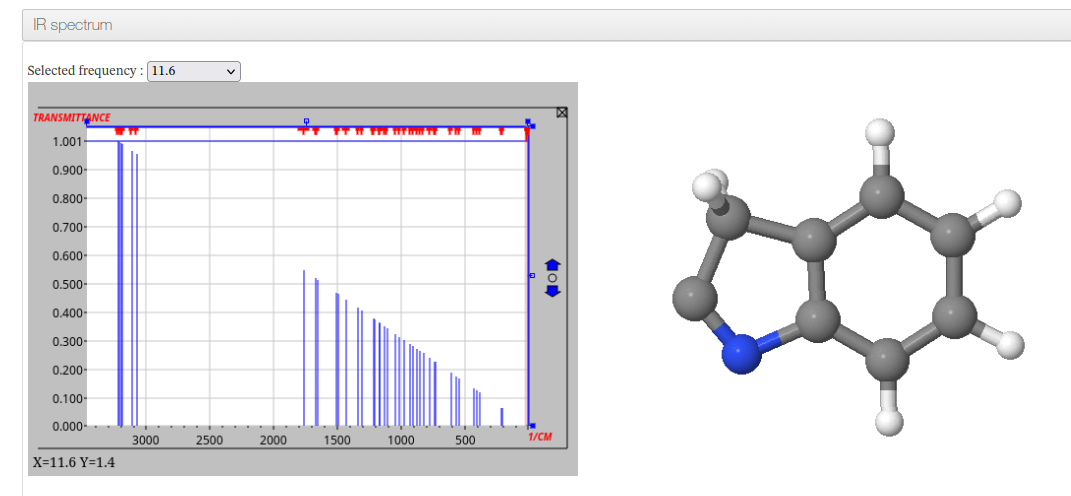
IR Spectrum
Shown when vibrational data is available. Displays an interactive IR spectrum alongside a molecular viewer synchronized to the selected vibrational mode. A dropdown allows selecting individual frequencies.
IR Spectrum - HTML example/s
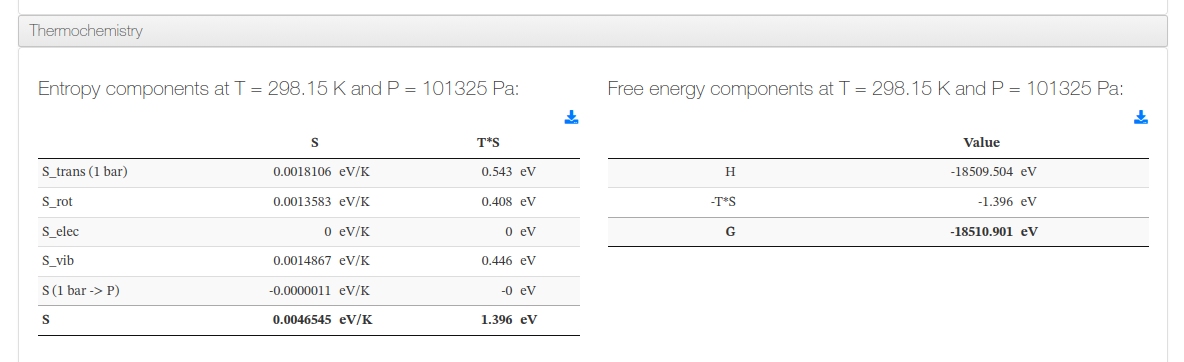
Thermochemistry
Shows the Entropy (S) Breakdown and the Gibbs Free Energy at the calculation temperature and pressure, presented as two collapsible tables.
Thermochemistry - HTML example/s
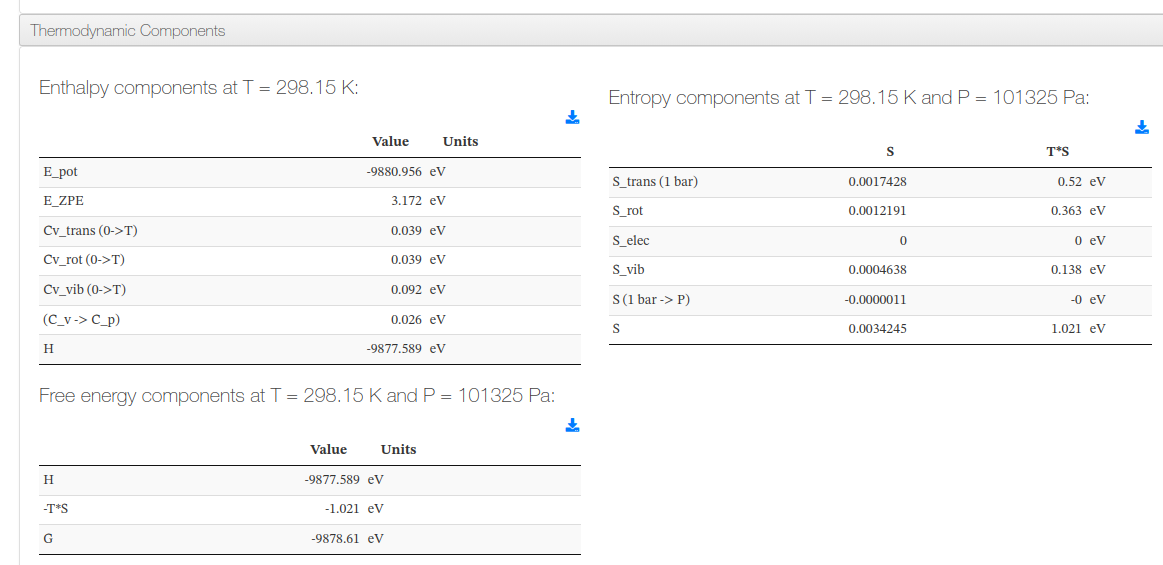
Thermodynamic Components
Shown when enthalpy component data is available. Displays three collapsible tables at the calculation temperature and pressure.
UMA-ASE - Thermodynamic Components - Subsections
| Subsection | Columns |
|---|---|
| Enthalpy components | Component name, value (eV) |
| Entropy components | Component name, S (eV/K), T·S (eV) |
| Free energy components | Component name, value (eV) |
UMA-ASE - Thermodynamic Components - HTML example/s
Optimization History
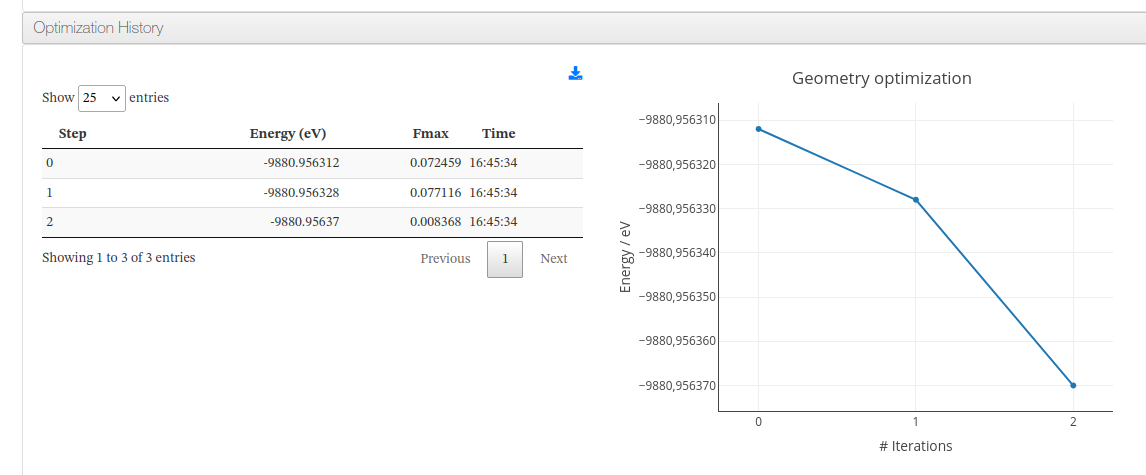
Shown for geometry optimization calculations. Displays a table of optimization steps and an interactive energy-vs-iteration graph.
UMA-ASE - Optimization History - Table columns
| Column | Description |
|---|---|
| Step | Optimization step number |
| Energy (eV) | Total potential energy at this step |
| Fmax | Maximum atomic force (convergence criterion) |
| Time | Timestamp when this step completed |
UMA-ASE - Optimization History - HTML example/s
Timing
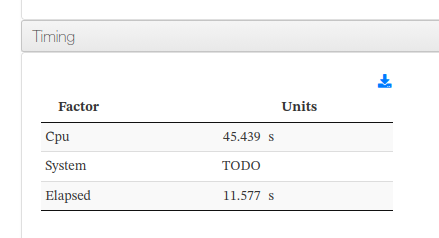
Shows CPU time, system time, and elapsed wall-clock time for the calculation.
UMA-ASE - Timing - HTML example/s
[^1]: string uma:normalizeRunType string type
        $type  Variable type from parameter <parameter[dictRef="cc:runType"] >

    <xsl:function name="uma:normalizeRunType">
            <xsl:param name="type" as="xs:string"/>
            <xsl:choose>
                <xsl:when test="matches($type,'SP') or matches($type,'SINGLE-POINT')">
                    <xsl:value-of select="'Single point'"/>
                </xsl:when>
                <xsl:when test="matches($type,'GEOOPT') or matches($type,'GEOMETRYOPTIMIZATION')">
                    <xsl:value-of select="'Geometry optimization'"/>
                </xsl:when>
                <xsl:when test="matches($type, 'MD') or matches($type, 'MOLECULARDYNAMICS')">
                    <xsl:value-of select="'Molecular Dynamics'"/>
                </xsl:when>
                <xsl:when test="matches($type, 'FREQS') or matches($type, 'FREQUENCIES')">
                    <xsl:value-of select="'Frequency calculation'"/>
                </xsl:when>
                <xsl:when test="matches($type, 'TS') or matches($type, 'TRANSITIONSTATE')">
                    <xsl:value-of select="'Transition State'"/>
                </xsl:when>
                <xsl:otherwise>
                    <xsl:value-of select="$type"/>
                </xsl:otherwise>
            </xsl:choose>
        </xsl:function>